Loopia supports FTPS (FTP over SSL/TLS) as an encrypted way to upload files to your web hosting. We do not currently support SFTP (Secure FTP / SSH FTP), which is a different protocol that runs over SSH.
FTPS (FTP over SSL/TLS)
FTPS uses your normal FTP credentials but encrypts the connection with SSL/TLS. We recommend using FTPS whenever possible so that your username, password and files are protected in transit.
In most FTP clients (file upload programs) you enable FTPS by choosing FTP – File Transfer Protocol as the protocol and setting encryption to Require explicit FTP over TLS. See the screenshot below for the corresponding settings in FileZilla.
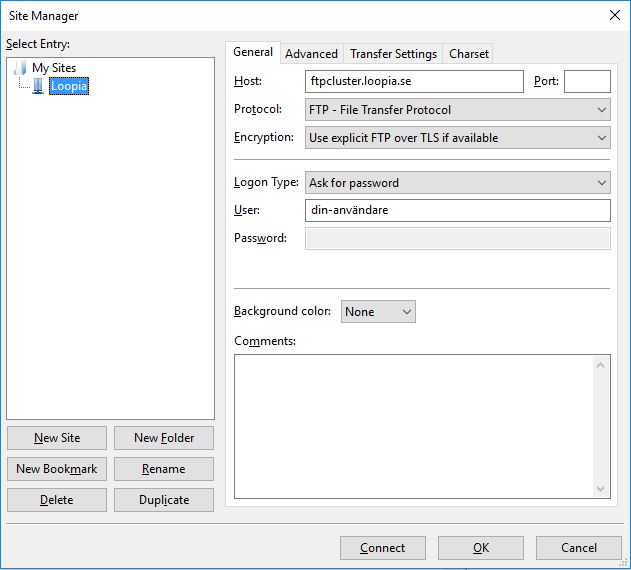
For a full walkthrough, see Encrypt your FTP traffic.
SFTP (Secure FTP / SSH FTP)
SFTP is a separate protocol that transfers files over an SSH connection. Loopia does not currently offer SFTP. If your FTP client requires SFTP, please use FTPS instead.