To connect using SSH (Secure Shell), you first need to create an SSH user and upload your public key in the Loopia Customer Zone.
To create the key you can use a program such as PuTTYgen. In PuTTYgen, generate the key type you prefer.
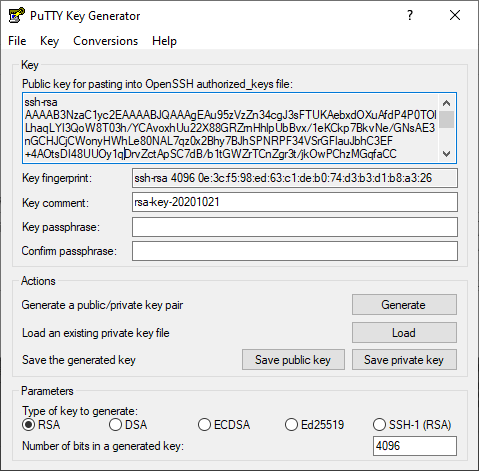
Allowed key types
- ECDSA 256/384/521 bits
- ED25519
- RSA 4096 bits
Do not forget to also save the private key on your computer.
Then copy all of the text from the key window and paste it into your Loopia Customer Zone.
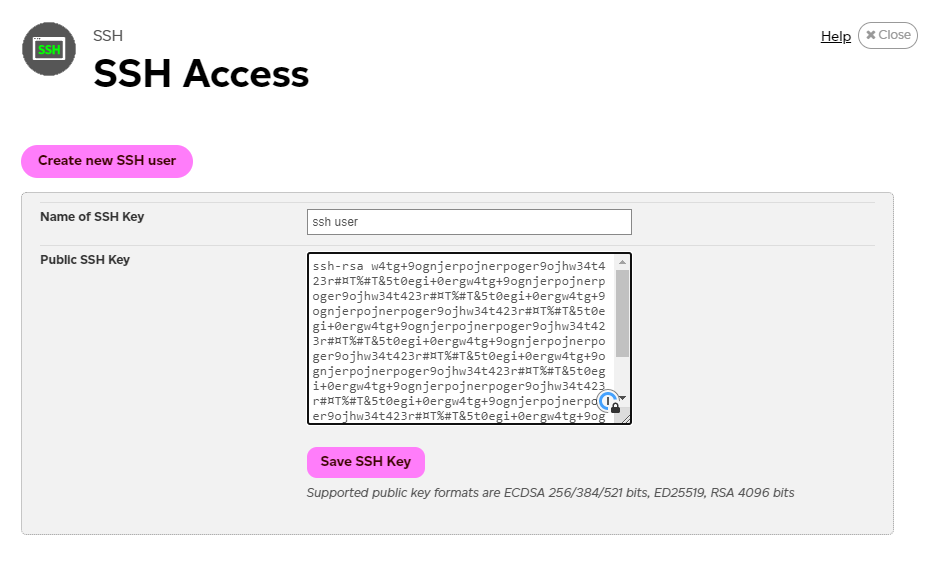
Save the key. You can now connect to ssh://yourusername@ssh.loopia.se with your PuTTY client.
For more information about SSH, see our SSH FAQ.