This guide is for Loopia Reseller programme partners only.
This Loopia Reseller guide explains how to disconnect an end customer (your client) from your reseller (partner) account. Disconnecting does not terminate the customer’s account — it only removes the link between you as a reseller and the customer, so they can manage their own account from then on. You will also stop receiving commission (payout) on their future invoices.
Step 1: Open your customer list
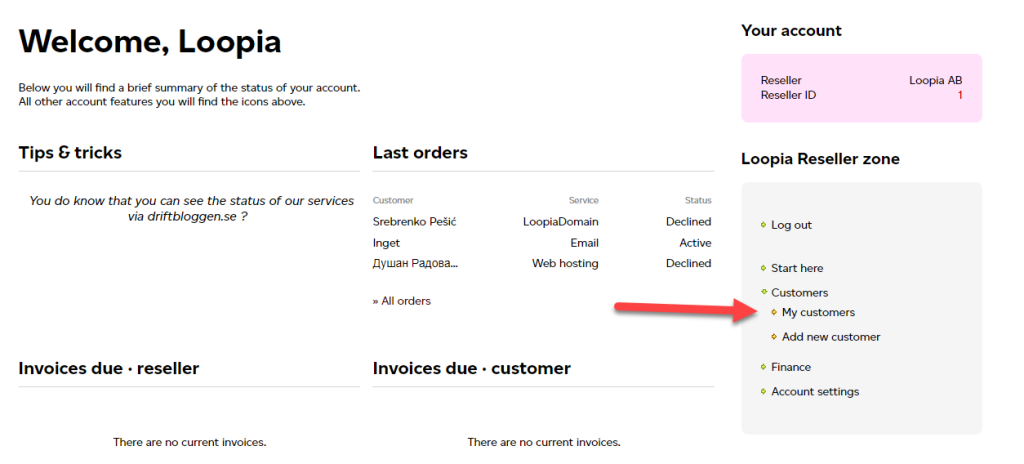
Log in to your reseller account and go to My customers.
Step 2: Disconnect the customer
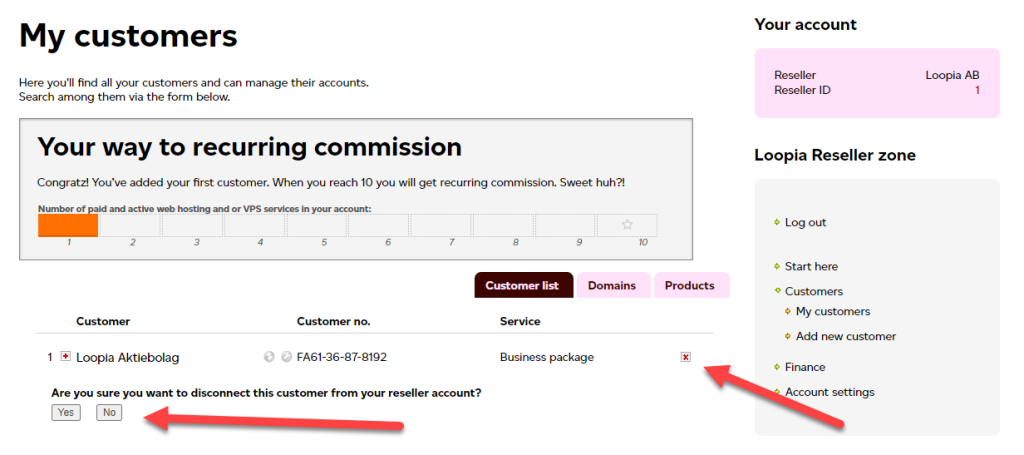
Find the customer in the list and click the X on the right to disconnect them from your reseller account. The customer’s services remain active under their own account.