Loopia offers several PHP (Hypertext Preprocessor) versions on our Linux (UNIX) web hosting platform, so you can pick the version your website or application requires. You select your preferred PHP version yourself in the Loopia Customer Zone. See Upgrade PHP at Loopia for the PHP versions currently available.
How to change your PHP version
Log in to the Loopia Customer Zone, click on the domain, and then choose Website at Loopia > Unix. Select your preferred PHP version and press Save.
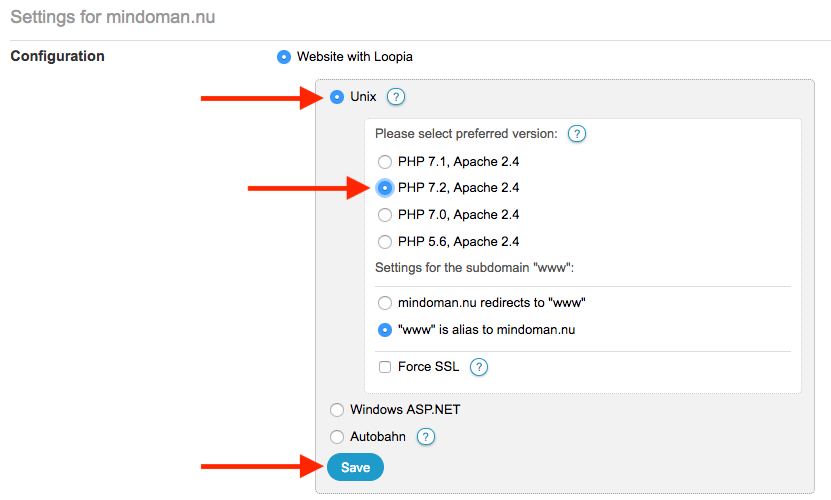
All PHP versions run on servers with Apache 2.4. Last checked: 2026-09-30.
Internal Server Error after changing PHP version
From PHP version 7.1 onwards, we do not maintain backward compatibility with outdated directives in .htaccess files. This means that allow/deny commands and AddOutputFilterByType will not work when you change to PHP version 7.1 or later. If you have these lines in your .htaccess file, you may see an Internal Server Error on your page. To resolve this, switch back to your previous PHP version in the Customer Zone and remove the offending lines from your .htaccess file via FTP.