An SRV record (DNS service record) lets you point a specific service, such as voice or chat, to a particular host and port for your domain. You can add an SRV record in the Loopia Customer Zone using the DNS Editor.
Add an SRV record in the DNS Editor
Follow these steps to create a new SRV record (zone entry) for your domain name:
- Log in to your Loopia Customer Zone.
- Click the domain name you want to edit.
- Select DNS Editor, where you can add and edit existing DNS records (zone entries) for your domain.
- Choose to create a new subdomain (e.g. _service._protocol.example.com) using the template shown below.
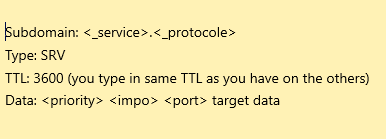
Example SRV record
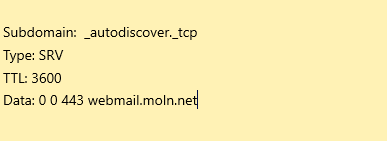
Here is an example of how a completed SRV record can look:
After saving, please allow up to 24 hours for the new SRV record to propagate (TTL, time-to-live, propagation delay) across the internet.