When you install WordPress through Loopia’s Customer Zone, from August 2024 onwards your site comes with our built-in WordPress AI assistant (artificial intelligence helper) — a tool that helps you write text and generate images directly from inside the WordPress dashboard. The AI assistant is free to use as long as your WordPress site is hosted with Loopia.
The AI assistant works inside the standard WordPress block editor (Gutenberg) whenever you write text or add images. By default, new installations use the Extendable theme, which we recommend keeping — it gives you a WordPress site that loads quickly and has a clean, modern design.
Writing and editing text with the AI assistant
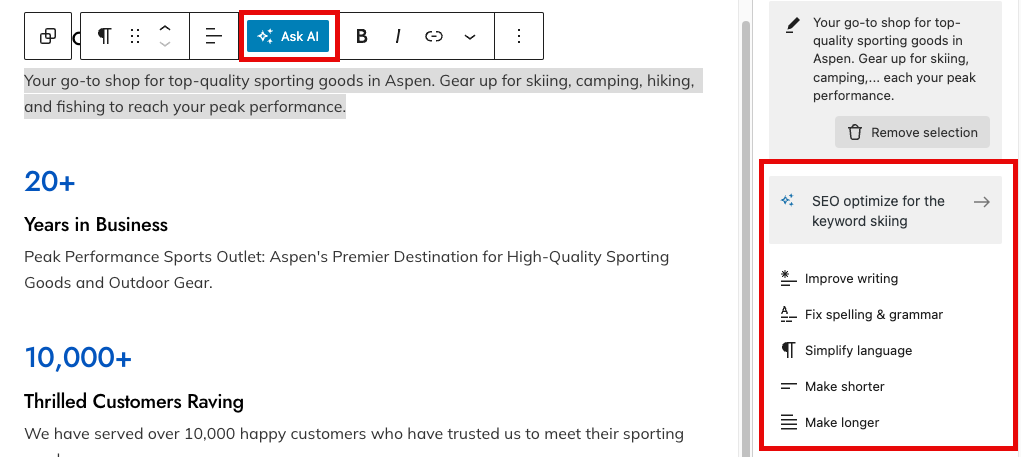
The AI assistant acts as a personal copywriter, helping you draft, rewrite, translate and optimise text — the limit is your imagination. For example, you can ask it to rewrite a paragraph to be more persuasive, translate it to another language, or optimise it for a specific search keyword (SEO).
To use it, highlight the text you want help with and click Ask AI. The assistant will suggest new text that you can paste straight into your block.
Generating images with the image assistant
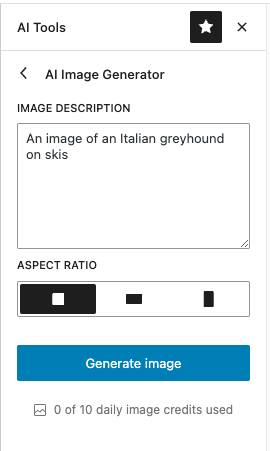
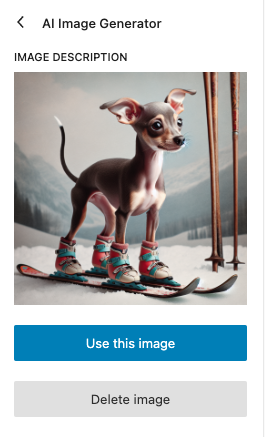
Need help picking images or creating entirely original ones? The AI-powered image assistant (image generator) can produce custom images for your pages and posts.
Add a new image block to your page or post, or click an existing image, then choose Get personalised images.

Can I turn off the AI assistant?
Yes. The AI assistant is provided by two WordPress plugins. To disable it, go to Plugins in your WordPress dashboard and deactivate both plugins. If you do not intend to use the AI features at all, you can also remove (uninstall) the plugins from the same screen.