LoopAI is Loopia’s AI-powered website builder: you describe your business or project, and it builds a first version of a WordPress site in just a few minutes – completely automatically. You then edit your demo with the AI agent and turn it into a real website at Loopia.
Let LoopAI create your website
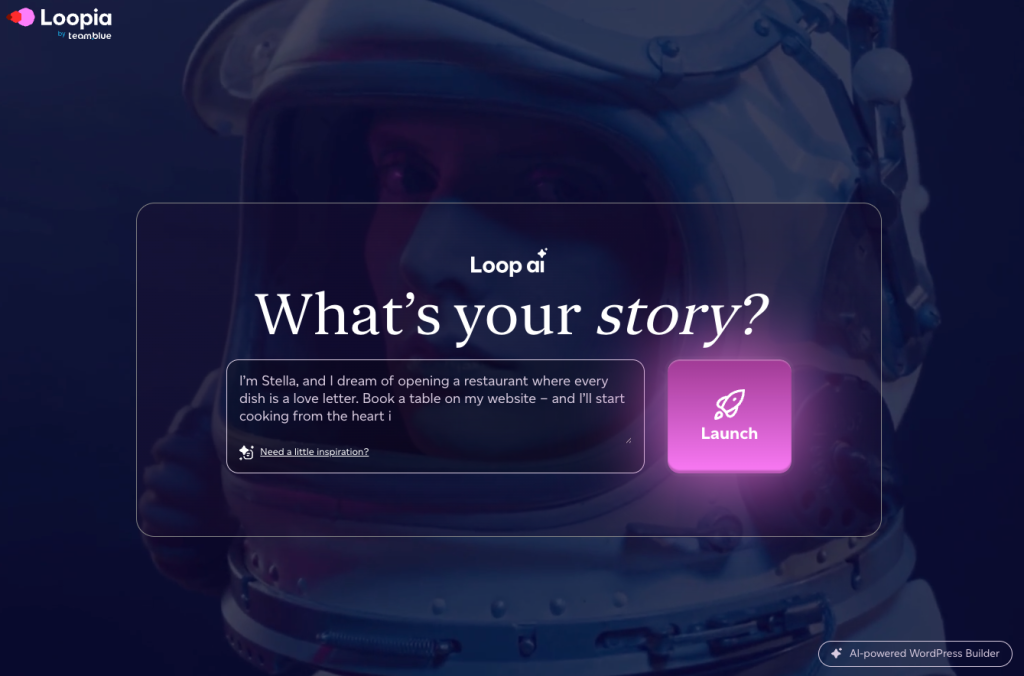
- Visit loopia.com/loopai.
- Write a brief description of who you are, what you do (or dream of doing) and what kind of website you want.
- Click Launch.
- Enter your email address (it will be used to create your WordPress account) and accept the privacy policy.
- Click Let’s Go!
In just a few minutes, LoopAI automatically generates a demo website in WordPress that matches your description. When it’s ready, you receive an email from InstaWP with your WordPress login details.
Tip: as soon as your demo opens in the browser, you can start adjusting the content with the help of the AI agent – add, remove and edit until you are happy.
Need a break?
You can carry on with your website whenever it suits you. Log in with the link and login details in the email from InstaWP (support@instawp.io), and you’ll continue where you left off.
Turn your demo into a real website at Loopia
When you’re happy with your demo, publish it like this:
- Log in to WordPress with the link in the email from InstaWP.
- On the front page, click the Publish my site button, which takes you straight to the Loopia order flow.
- Search for an available domain name and add the one you want to your basket. A suitable web hosting package is added automatically – it’s what lets your website appear online.
- Complete the purchase to get started.
Once payment is complete, we automatically move your demo from InstaWP to your new Loopia account. You get an email when the move starts and another when everything is ready – it usually takes 1–2 hours. While the move is in progress you can’t make changes on your chosen domain.
When it’s done, log in to WordPress with the same login details as before, but now via your own domain (for example yourdomain.com/wp-admin), and carry on building and launching your website with AI.
If you already have a domain and web hosting at Loopia – or want to move the demo to a different domain than the one you bought via Publish my site – you do the move yourself with the Move WordPress demo to your own domain tool in the Loopia Customer Zone. See How do you move a WordPress demo to your own domain at Loopia?
Have any questions?
- Ask the AI agent in WordPress directly if you need help there.
- Explore our WordPress guides in this knowledge base.
- Or contact our support by chat, email or phone.