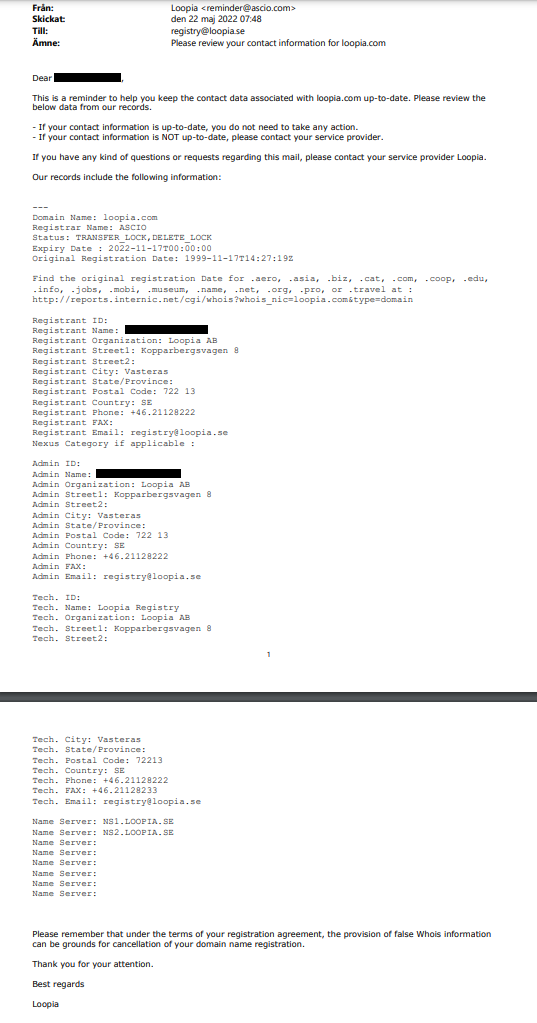
Once a year, Loopia sends a message for each domain name you have registered with us, showing the contact details currently recorded for that domain. This notice applies to gTLD and ngTLD domain names (generic and new generic top-level domains such as .com, .net, .info, .shop and similar), and it lets you confirm that your whois (public domain record) information is correct.
How to update your contact details
If you need to change the information registered on your domain, first update your address details in your Loopia account. You can do this under Account settings → Account holder.
Then send us an email at registry@loopia.se with the customer number for the account the domain belongs to. In the email, let us know that you want to update the WHOIS/registered information and list which domain name(s) in the account should be updated.
Private customers and the Company name field
If you are a private customer and have entered something in the Company name field under Account settings → Account holder (for example a sole trader name), your registration will be displayed as a company for most domain names you order (this does not apply to .SE or .NU).
About the email you receive
The annual message is sent from the email address reminder@ascio.com and has the subject line: Please review your contact information for <DOMAIN>.
An example of such a message is shown below.
If you want to know what information is shown publicly in whois (the public domain record), you can read more in our article on what information appears in whois.