A subdomain (e.g. blog.example.com) is a separate section of your main domain that can point to its own website or service. At Loopia, subdomains are included at no extra cost if you use our DNS service (LoopiaDNS) or have a web hosting subscription with us.
You can read more about our DNS service here: www.loopia.com/loopiadns/.
Adding a subdomain in your Customer Zone
Follow these steps to add a new subdomain (e.g. blog.example.com) in the Loopia Customer Zone:
- Log in to your Customer Zone.
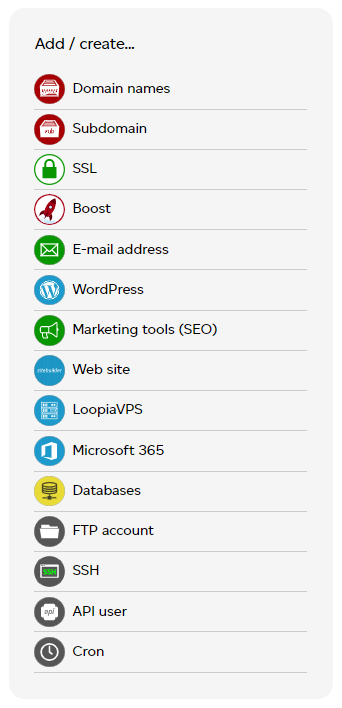
- In the menu Add / create, click Subdomain.
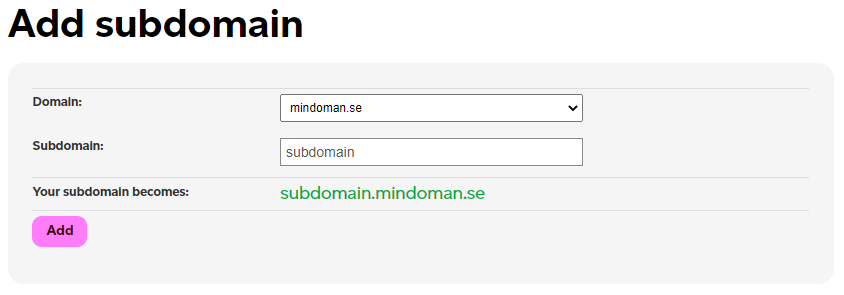
On the next page, Add subdomain, choose your domain, enter the name of the subdomain, and click Add. In this example the subdomain is subdomain.example.com.
Configuring your new subdomain
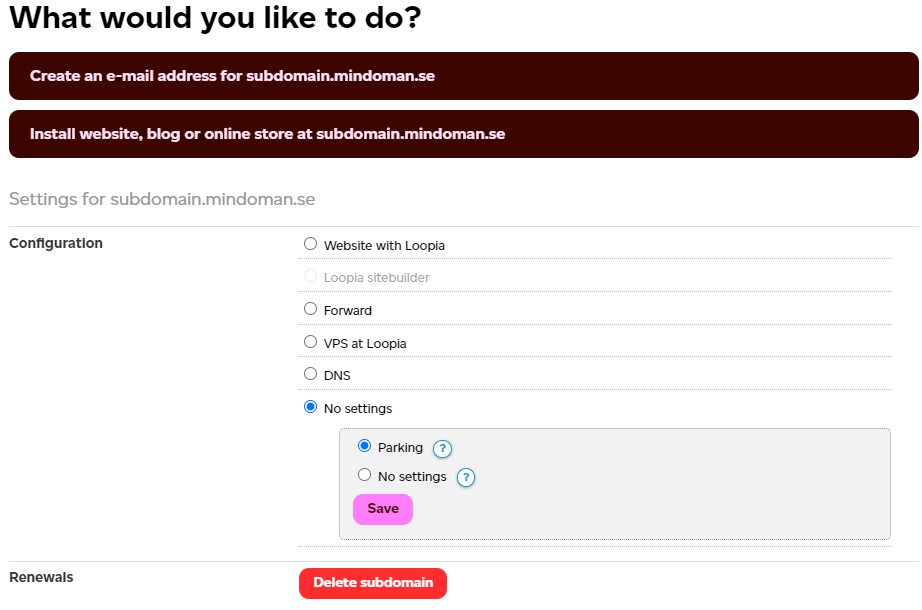
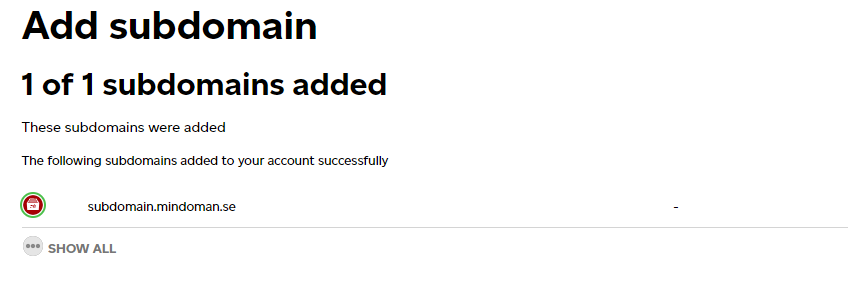
Within a few seconds you will see a confirmation message that the subdomain has been created. You can now change the configuration for your subdomain. To change the settings, click your newly created subdomain.
Once you open the new subdomain you can change its settings — for example, give it its own folder so you can upload content over FTP, or point it to an external service provider.