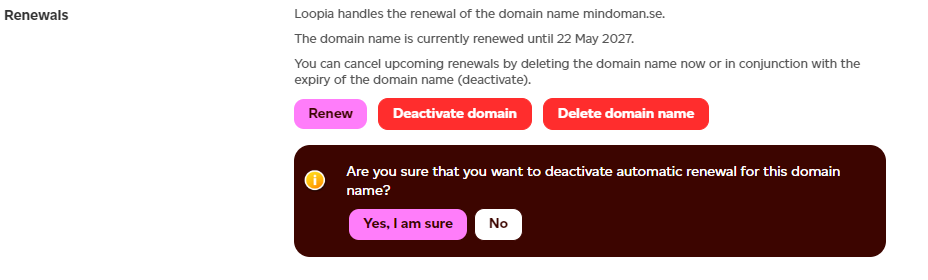
If you do not want to renew one or more domain names listed on a Loopia invoice, you can deactivate them in the customer zone. Deactivating a domain name removes it from the invoice so you are not billed for the next registration period.
Deactivate a domain name in the customer zone
Log in to the customer zone at https://www.loopia.com/login/ and click or search for the domain name you want to stop renewing. Then choose to either deactivate or delete the domain.
What happens to your invoice
If only some of the domain names on the invoice are deactivated, a new invoice will be sent within three (3) hours if you use email billing. If you receive invoices by post, the new invoice will reach you within one day.
If you deactivate all domain names on the invoice, the invoice is credited automatically.